Beginner's guide
How to raise a RuneLite pet with Gieligotchi
Installing the plugin
Open RuneLite, click the wrench icon to open the configuration panel, and select the Plugin Hub. Search for "Gieligotchi" and press install. The companion panel appears in your sidebar straight away, and your progress is saved locally alongside your other RuneLite settings, so there is no separate login or account to manage.
Choosing and hatching an egg
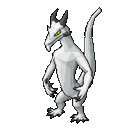
Every journey begins with an egg. Eggs come in four tiers: common, rare, mega-rare and riftglass. Rarer eggs have a better chance of hatching unusual species and colours. Once you pick an egg, simply keep playing Old School RuneScape. The egg gathers warmth from your normal activity and hatches into one of 71 possible companions, each with one of 11 colour variants such as copper, moss, azure, frost, gilded or void.
Growing your companion
Your companion earns experience and affection from the things you already do: training skills, completing quests, defeating bosses and travelling to new locations. Companions occasionally make small wishes, like visiting a particular area, and fulfilling them builds affection faster. There are no punishing timers, so your pet will never be harmed if you take a break from the game.
Memories, backdrops and collecting
Special moments are recorded as memories that you can look back on. You can also change the backdrop behind your companion to locations across Gielinor, from Lumbridge and Falador to Prifddinas, Morytania and the Tombs of Amascut. Collectors can aim to discover all 781 species and colour combinations. Everything in Gieligotchi is cosmetic and fully compliant with RuneLite's rules: it never automates gameplay or sends inputs to the game client.